
We back up our system several times a day. However, we cannot use this to restore a specific template or playlist. Each user is responsible for his own data.
Backup
Go to the “Playlist” menu in the STANDARDsection, select a playlist and click “Action” in the Actionbar. A dropdown will appear. Click here on “Backup“.
An “.xbak” file is generated and offered for saving. Save this file on your PC or MAC
The backup file contains the playlist, and devices associated with those playlists
The backup file is encrypted and can only be decrypted by our system.
Restore
Go to the “Playlist” menu in the STANDARD section, click “Action” in the Actionbar. A dropdown will appear. Click here on “Restore“. A Pop-Up window will appear. Upload your “xbak” file here.
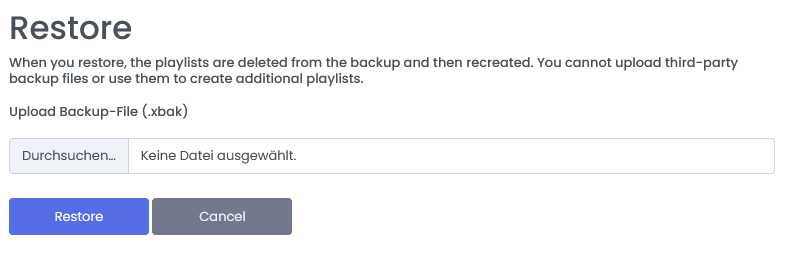
Click on “Restore“. The recovery may take a while. Please do not close the browser.