
Before you can migrate lines you should migrate your templates first.
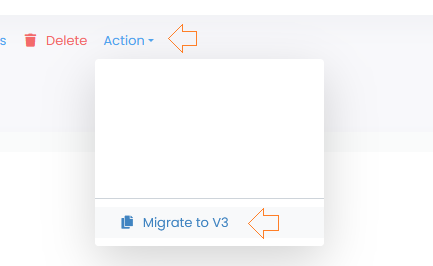
Go to the “Playlist” menu in the PRO V2 section. Select one or more playlists associated with the same template and click Action in the Actionbar. A drop-down menu will appear. From the drop-down list, click “Migrate to V3“.
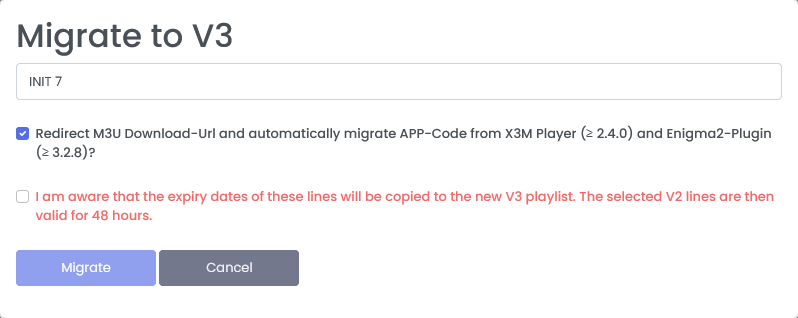
A Pop-Up window will appear where you can select the template. Make sure the selected playlists match the template. Our system cannot check this itself. Confirm the checkbox and click on “Migrate”
Important!
The validity of the line from the V2 is copied to the V3 playlist. The line in the V2 is still valid for 48 hours.
The new playlist gets a new LineID and also a new M3U Download-URL.
If you have enabled the option “Redirect M3U Download-Url and automatically migrate APP-Code from X3M Player (≥ 2.4.0) and Enigma2-Plugin (≥ 3.2.8)“, then the old V2 Download-URL will be automatically redirected to the new one. This gives you enough time to enter the new Download-URL in your App. APP-Code from X3M-Player from version 2.4.0 and Enigma2 plugin from version 3.2.8 will be migrated automatically. The migration of the app code is performed when the playlist is first loaded. The app generates a new code and only then becomes visible in the new playlist.
It is important to know that the redirection cannot be additionally activated after the migration.