
Go to the “Stalker Playlist” menu in the STANDARD V2 section. Select a playlist and click on “Action” in the Actionbar. A dropdown will appear. Click on “Migrate to V3” in the dropdown.
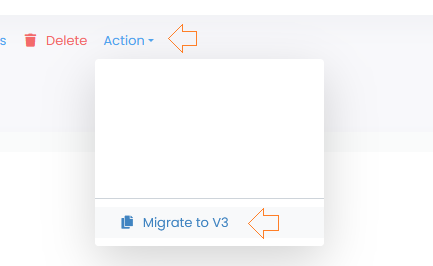
Now click on the “Playlist” menu in the STANDARD section. There you will find your playlist.
When migrating a MAG (Stalker) line, a playlist is generated in the V3 and a new MAG (Stalker device) is added as a device.
Important!
We cannot migrate the series from the V2. You should now sync your playlist in the new version for the series to load