
Go to the “Stalker Playlist” menu in the PRO V2 section. Select one or more playlists associated with the same template and click Action in the Actionbar. A drop-down menu will appear. From the drop-down list, click “Migrate to V3“.
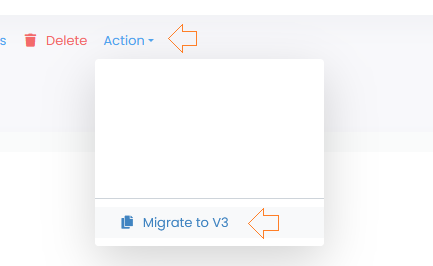
The further procedure is identical to the normal Line. You can find more information here.
When migrating a MAG-Line (Stalker), a playlist is generated in the V3 and a new MAG (Stalker device) is added as a device