
Template, playlist explained
Depending on how you use our service, you will be dealing with terms like template and playlist. First we will explain the difference between the STANDARD and the PRO version.
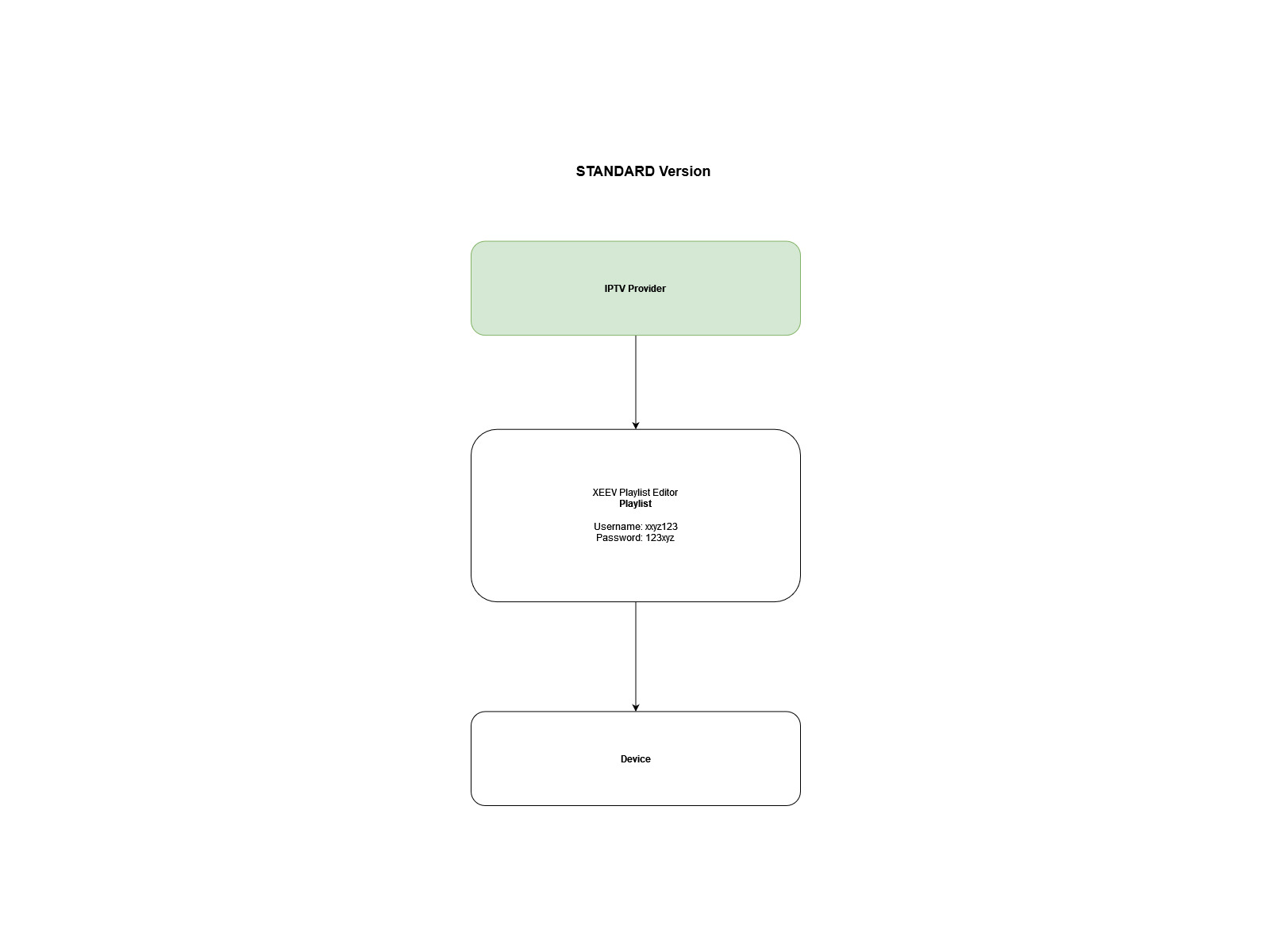
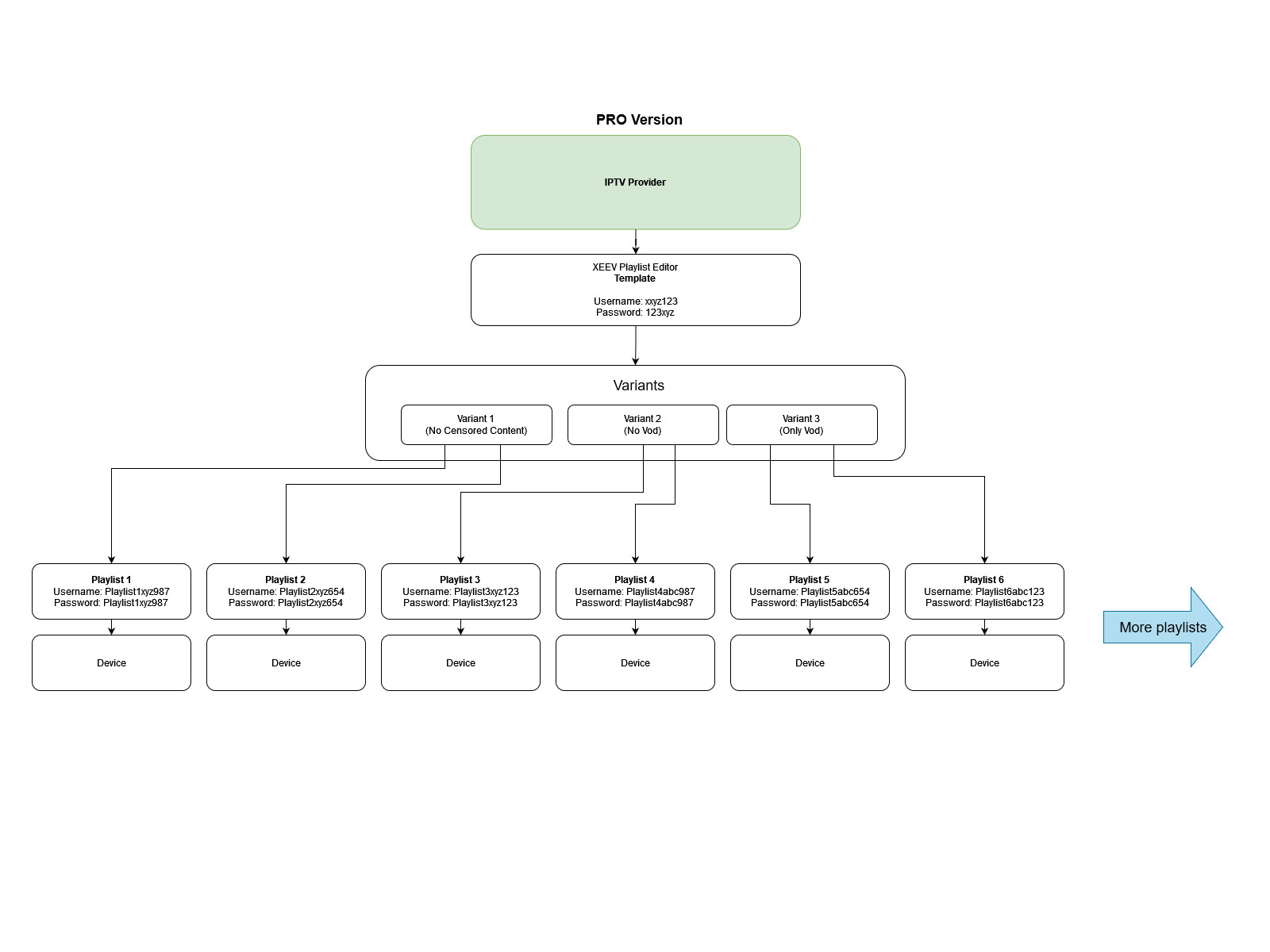
The examples includes only one IPTV provider. You can manage multiple IPTV providers with one template.
The STANDARD version is for users who want to manage a maximum of 5 playlists for their personal use. A standard playlist has no template and each of the playlists must be customized. For the STANDARD version you pay an annual GOLD Subscription and can manage 5 playlists during this time. You can delete the playlists, create new ones, etc. However, there is no upgrade for more than 5 playlists.
The PRO version is for users who need more than 5 playlists, want to work with templates or business customers.
There is no subscription for the PRO version. You buy credit and use it to create your playlists. There are no restrictions on the number of playlists. You book the validity of a playlist with your Credits. You can book a playlist between 1 week and 1 year. The credits are automatically deducted from your account. For the PRO version you do not need a STANDARD subscription.
A template is like a playlist that reflects the content of your IPTV provider but according to your specifications. All playlists associated with this template will get exactly the same content but with their own credentials.
The credentials from the template are only used to synchronize the template with the provider’s server. These will not be distributed but must be valid. Each playlist must have its own credentials that is valid with the provider.
Application operation
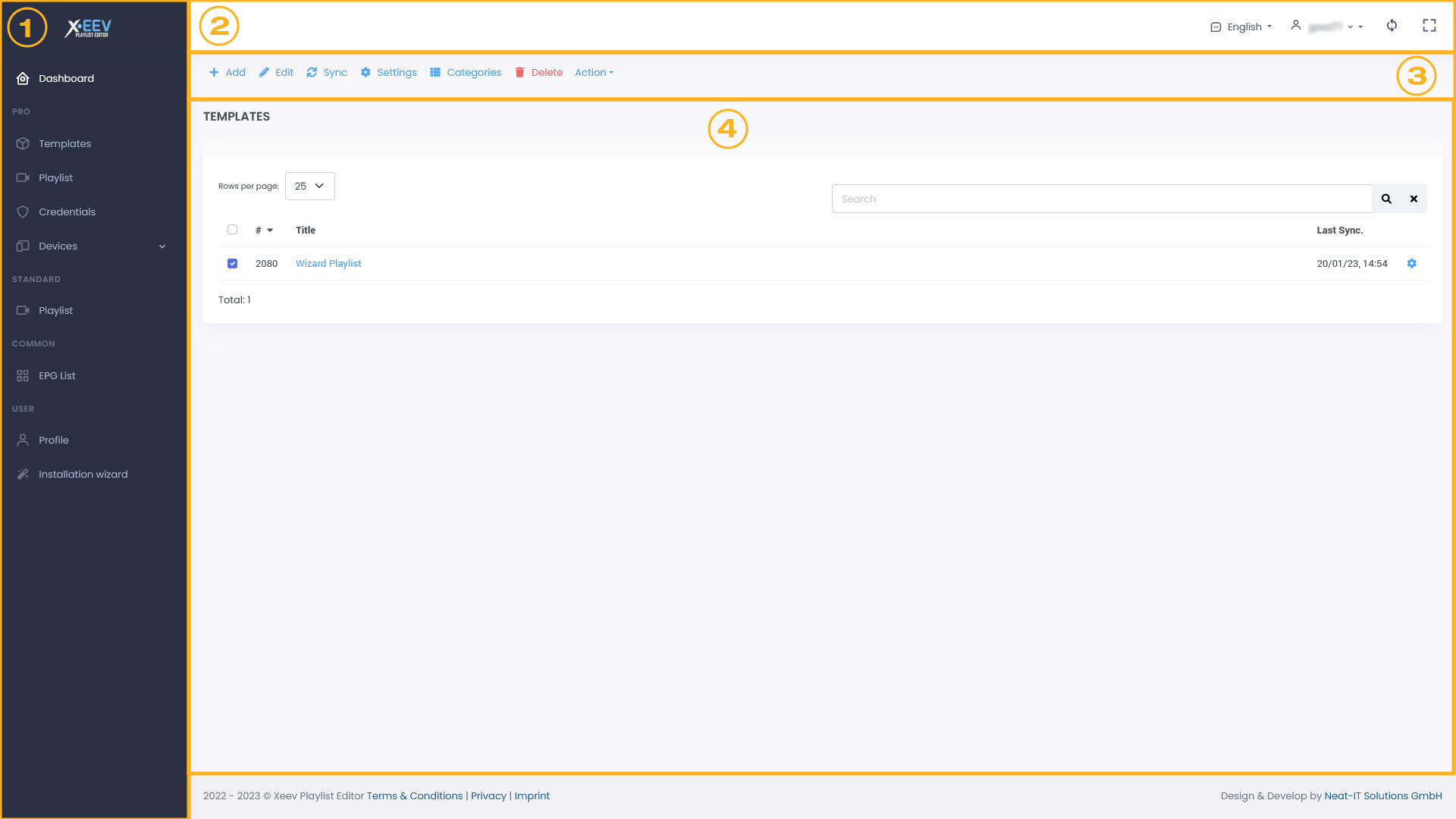
- Sidebar
Navigate in the main menu. - Topbar
Set language, select the layout, etc. - Actionbar
The Actionbar changes depending on the main menu. Here you will find all actions like create, edit, delete, duplicate etc. - Content
Your content.
M3U explained
https://en.wikipedia.org/wiki/M3U
M3U is a computer file format for a multimedia playlist. One common use of the M3U file format is creating a single-entry playlist file pointing to a stream on the Internet. The created file provides easy access to that stream and is often used in downloads from a website, for emailing, and for listening to Internet radio.
Although originally designed for audio files, such as MP3, it is commonly used to point media players to audio and video sources, including online sources. M3U was originally developed by Fraunhofer for use with their Winplay3 software, but numerous media players and software applications now support the format.
XC API explained
API stands for “application programming interface” and basically describes an interface for applications. An API provides a set of commands, functions and protocols that make programming software easier. IPTV players (apps) communicate with the provider’s server via the XC API